FigureDraft

研究溝通工作空間

AI 科學插圖產生器

讓方法或科學關係更容易理解。定義物件、箭頭與精確標籤文字,再產生供讀者審閱的解說插圖。

用於解說插圖,不作為實驗證據。

01 / 說明方法或關係

將解說拆成必要物件與步驟。指定每個箭頭的含義、方向,以及需要出現的精確標籤文字。在視覺要求中補充面板順序或重點。產生後,核對順序與關係是否仍符合預期的科學解釋。

標籤、圖片尺寸與視覺要求

提取時會將摘要、產生影像時會將已確認的描述傳送至所選服務商。請僅提交有權與該服務商分享的研究內容。 目前處理服務商:Qianwen AI (maas.qianwenaiapi.com)。隱私權政策

每張成功產生的影像消耗 1 點積分,新版本亦同。失敗任務會釋放預留積分。下載 PNG 不額外消耗積分。

科學插圖生成案例

原始 PNG 由 FigureDraft 根據英文演示輸入實際生成,外部重繪圖另行標註。檢查說明記錄可見問題與限制;所有案例仍需獨立的科學審核。

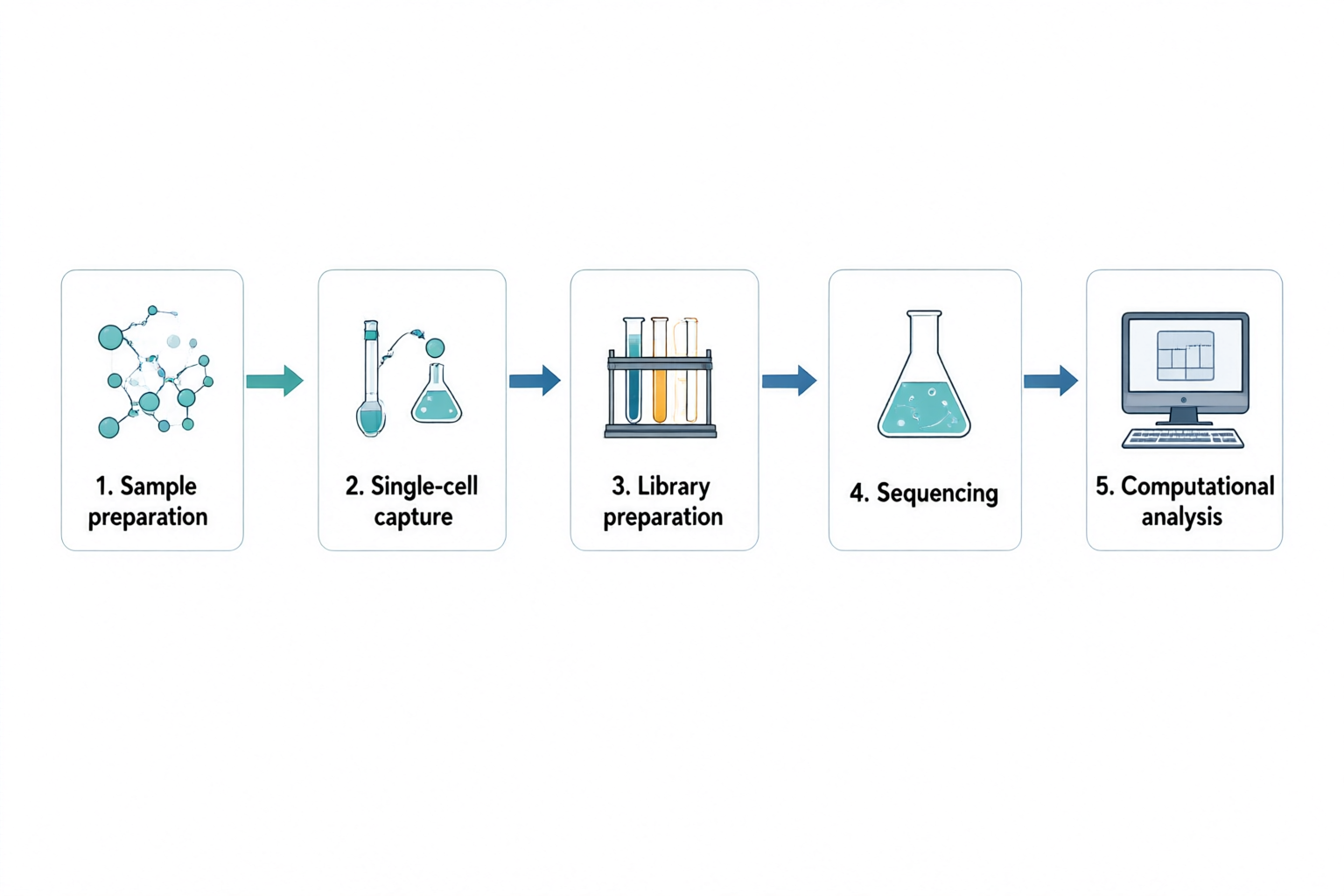
Five panels connected left to right: sample preparation, single-cell capture, library preparation, sequencing and computational analysis.
原始 PNGqwen-image-3.0 · 1536 × 1024

科學插圖

Single-cell RNA sequencing workflow

檢查說明

The five labels and four connecting arrows follow the requested left-to-right order. The sequencing stage uses a generic flask rather than a sequencing instrument. Replace that icon for a technical methods figure; this overview does not specify an assay protocol or show measured data.

輸入與確認內容
研究概念
A high-level five-step workflow for single-cell RNA sequencing. Show a left-to-right sequence with numbered panels and one clear arrow between neighboring steps. Do not depict real sequencing measurements or an actual clustering result.
需要包含的物件
Sample preparation; single-cell capture; library preparation; sequencing; computational analysis.
關係與箭頭
Sample preparation leads to single-cell capture, then library preparation, sequencing and computational analysis. Use simple lab icons and a computer icon for the final stage. No branches or backward arrows.
精確標籤文字 · 選填
1. Sample preparation; 2. Single-cell capture; 3. Library preparation; 4. Sequencing; 5. Computational analysis
視覺要求 · 選填
Minimal textbook diagram with ample whitespace and teal, blue and amber colors. Print ONLY the short labels explicitly listed in the content. No subtitles, paragraphs, footnotes or extra words. These are drawing directions, not text to display.
原始 PNG
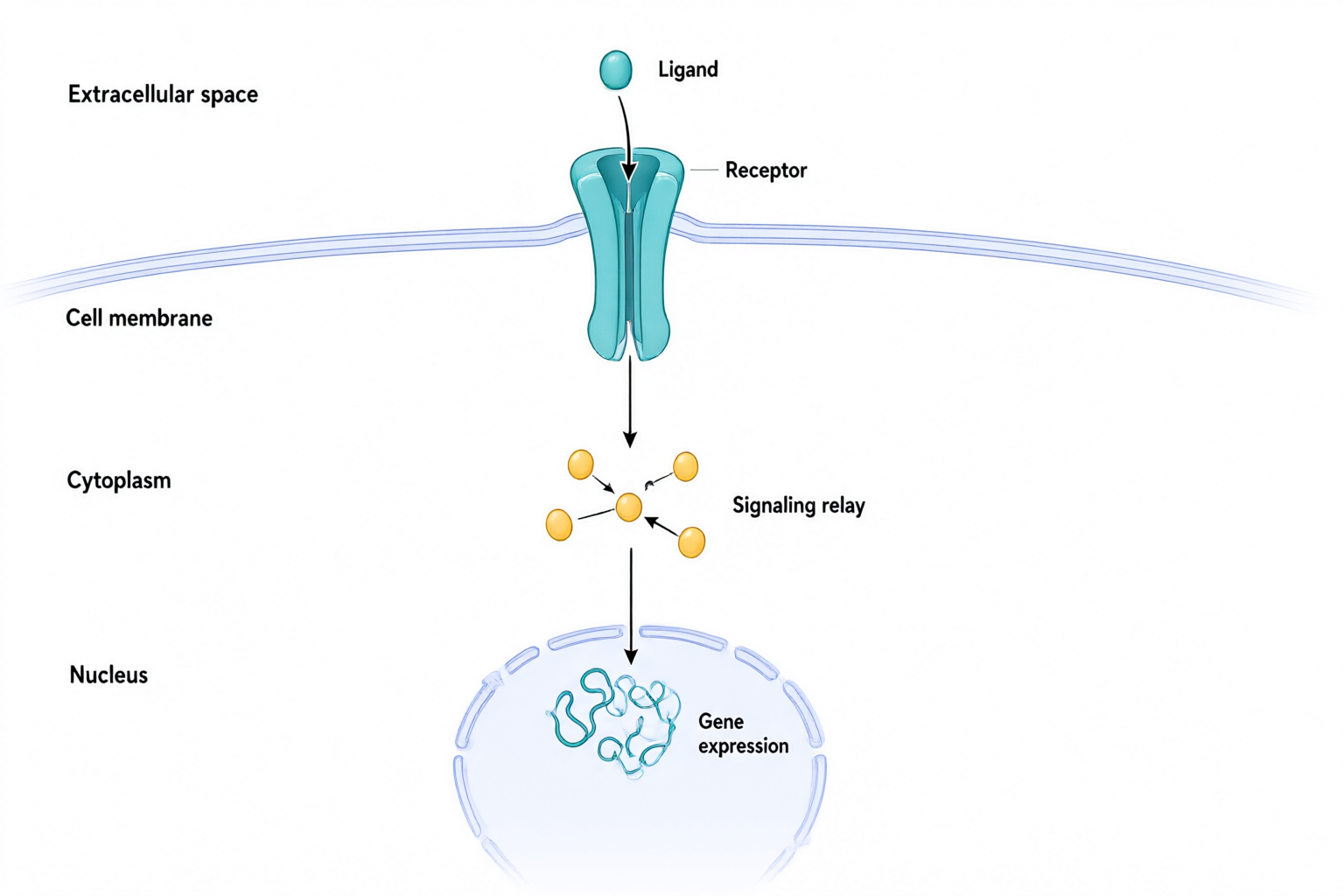
Extracellular ligand above a membrane receptor, with arrows through a cytoplasmic relay toward gene expression in the nucleus.
原始 PNGqwen-image-3.0 · 1536 × 1024

科學插圖

Receptor-to-nucleus signaling

檢查說明

The ligand is outside the membrane and the main arrows run from the receptor through a relay toward the nucleus. Small relay connections remain conceptual. No proteins, measured response or specific biological pathway are identified; verify every causal connection against the actual research.

輸入與確認內容
研究概念
A generic conceptual diagram of ligand-activated signaling from a cell-surface receptor to the nucleus. Use three labeled compartments and a clear downward reading order. Do not name a specific protein or imply that this schematic represents every signaling pathway.
需要包含的物件
Extracellular ligand; cell membrane with a transmembrane receptor; intracellular signaling relay; nucleus containing a gene-expression symbol.
關係與箭頭
Ligand binds to the extracellular portion of the receptor. An arrow from the intracellular portion points to a signaling relay in the cytoplasm. Another arrow points from the relay into the nucleus toward the gene-expression symbol. The ligand remains outside the cell.
精確標籤文字 · 選填
Extracellular space; Ligand; Receptor; Cell membrane; Cytoplasm; Signaling relay; Nucleus; Gene expression
視覺要求 · 選填
Minimal textbook diagram with ample whitespace and teal, blue and amber colors. Print ONLY the short labels explicitly listed in the content. No subtitles, paragraphs, footnotes or extra words. These are drawing directions, not text to display.
原始 PNG

從想法開始

試用方法或關係提示詞

以下為示範輸入,不是產生結果或客戶研究。

從描述到草稿

用物件與關係構成解說

將解說拆成必要物件與步驟。指定每個箭頭的含義、方向,以及需要出現的精確標籤文字。在視覺要求中補充面板順序或重點。產生後,核對順序與關係是否仍符合預期的科學解釋。

  1. 描述要呈現的方法與物件
  2. 核對順序、箭頭方向與標籤
  3. 產生影像、審閱科學內容並下載

圖像摘要

需要將論文整理為圖形摘要?

將研究摘要轉為清楚的視覺敘事。產生圖像摘要前,先審閱問題、方法與發現。

製作圖形摘要

檢查順序與物件關係

沿每條箭頭核對起點和終點,檢查步驟順序、分支、區域邊界與標籤位置。箭頭不應暗示輸入中未確認的因果關係或測量結果。

請審閱科學含義與文字,並查核目標期刊的 AI、授權與揭露要求。產生的影像不保證準確、獲期刊認可或適合作為實驗證據。

常見問題

可以繪製哪些科學解說?

可以用描述來呈現方法流程、交互作用或概念機制。請自行指定關係並審閱結果。工具不會從簡短提示詞推斷經驗證的機制,也不會驗證科學準確性。

如何指定箭頭、階段與標籤?

列出物件,在關係欄位寫明階段順序與每個箭頭代表的意義。將必要文字填入精確標籤欄位,並以視覺要求說明面板配置。使用前核對圖片中的文字與箭頭方向;可能需要再次產生。

可以編輯文字與標籤嗎?

你可以修改描述與精確標籤文字,再產生新影像。此版本不支援直接編輯像素、文字圖層、向量與個別元素。

支援哪些匯出格式與尺寸?

可下載 1024 × 1024、1536 × 1024 與 1024 × 1536 像素的 PNG。不提供 SVG 與 PPTX 匯出。服務商影像連結會過期,請及時下載。